Request verification
Request verification adds an extra layer of security to your game by cryptographically validating that requests come from a legitimate client and haven't been tampered with or replayed.
When enabled, Talo requires every HTTP request and socket message (sent by identified players) to include a signature. Talo validates this signature against a verification key that you manage in the dashboard.
Enabling request verification
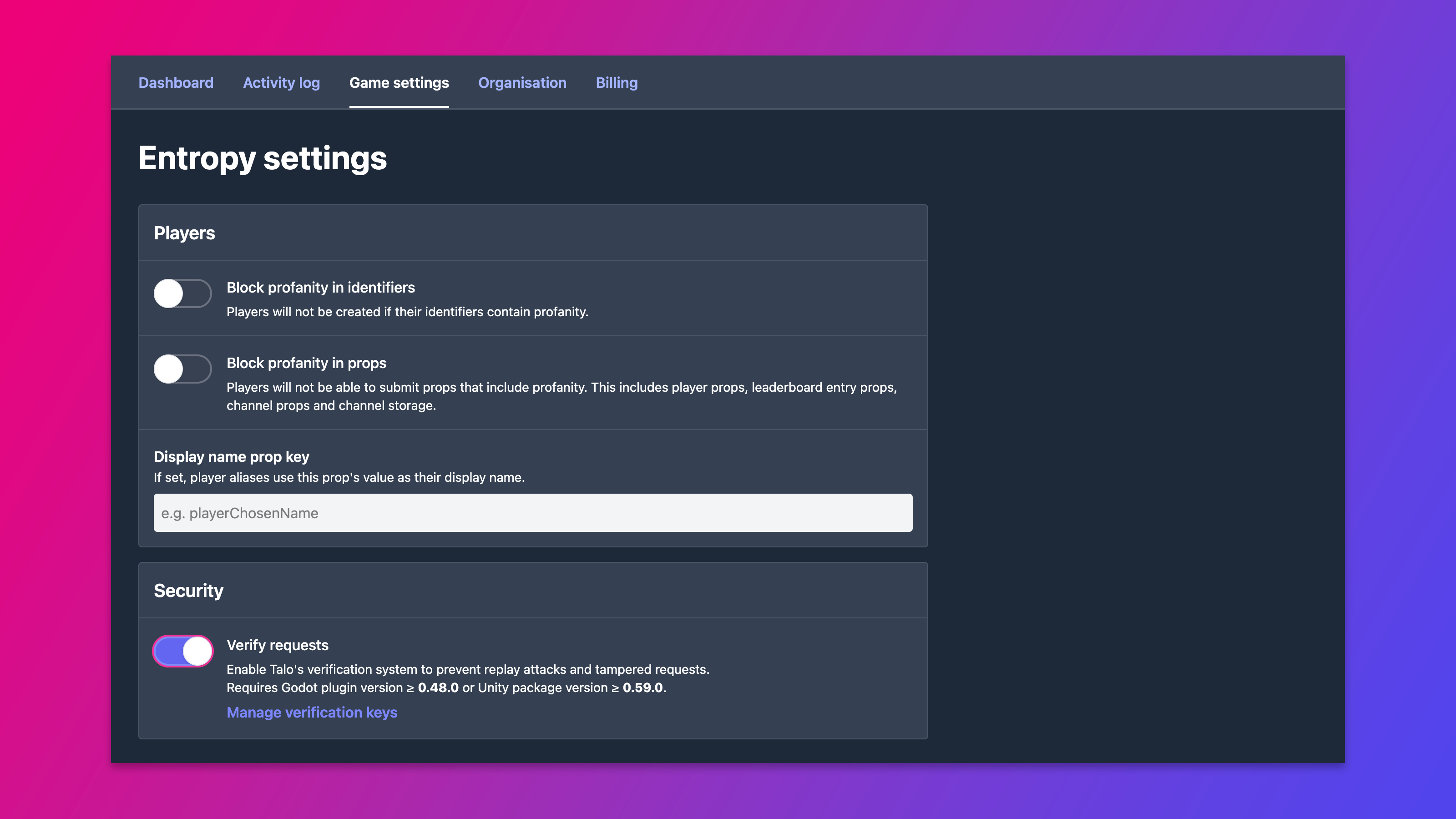
Request verification is controlled by the "verify requests" setting. This can be toggled on the Game Settings page.
Enabling verifyRequests without updating your game client will cause requests to fail with a 401 Unauthorized response.
Verification keys
Verification keys are the secrets used to sign requests. Each key has a version (a string identifier like "1") and a value (the secret used for the HMAC).
You can manage verification keys in the Talo dashboard under your game's settings.
Signature format
Signatures are sent in the x-talo-signature header for HTTP requests.
The full signature is made of three parts separated by | and .:
{version}|{base64Header}.{base64Signature}
Key version
The version identifies which verification key was used to create the signature. It must match an active key created in the dashboard for your game.
Base64 header
The base64Header is a Base64-encoded JSON object containing three fields:
-
rid: A unique identifier for the request. This must be different for every request you send. -
payload: The SHA-256 hex digest of the request's JSON body. For requests with no body, hash an empty string. -
timestamp: The current Unix timestamp in milliseconds when the request is created. Stale timestamps will be rejected.
Base64 signature
The base64Signature can be computed like this:
- Take the JSON header object (
{ rid, payload, timestamp }) and encode it as a Base64 string. - Compute an HMAC-SHA256 of that Base64 string using your verification key's
valueas the secret. - Base64-encode the HMAC output.
This final Base64-encoded HMAC is the signature portion of the full value.
Generating a signature
This TypeScript utility function shows how to generate a valid signature:
import crypto from 'node:crypto'

function buildSignature(body: string, key: string, version: string) {
	// Unique request identifier
	const rid = crypto.randomUUID()

	// Current timestamp in milliseconds
	const timestamp = Date.now()

	// SHA-256 hex digest of the raw request body
	const payload = crypto.createHash('sha256').update(body).digest('hex')

	const header = { rid, payload, timestamp }
	const headerB64 = Buffer.from(JSON.stringify(header)).toString('base64')

	// HMAC-SHA256 of the base64 header using the verification key value
	const hmac = crypto.createHmac('sha256', key).update(headerB64).digest()
	const signatureB64 = Buffer.from(hmac).toString('base64')

	return `${version}|${headerB64}.${signatureB64}`
}
You can then send the signature in the x-talo-signature header alongside your request.
Socket messages
Enabling request verification also enables verification for socket messages.
See the socket request verification docs for details on how to prepend the signature to the message payload.
When verification applies
Request verification is only enforced when:
verifyRequestsis enabled for the game.- The request is sent by an identified player (i.e. when the
x-talo-aliasheader is also present).
Requests without a player alias do not require a signature, even when verifyRequests is enabled.